Tips for Buying a Second-Hand Phone: Nowadays, Due to the rising prices of new smartphones, many people prefer to buy second-hand phones to get good features on a limited budget. However, the biggest concern when purchasing a Second hand phone is whether a device that looks clean on the outside might be faulty or counterfeit on the inside.
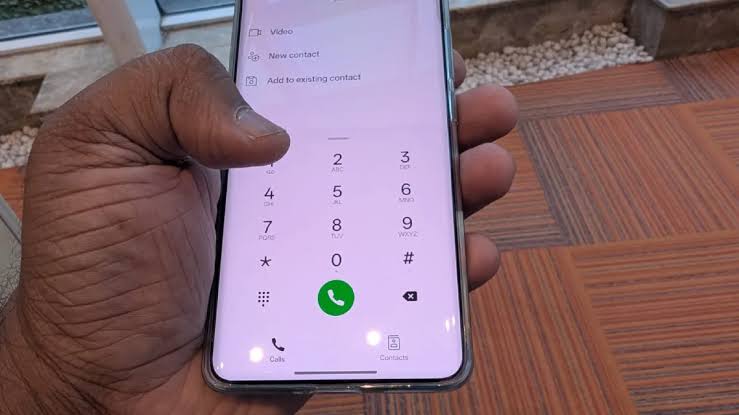
Many times the person selling hides the faults of the phone, which are found out later. But now there is no need to panic or resort to any third-party app. By putting some special secret codes in the phone's dialer, you can find out the display, battery, sensors, and legal status of the phone in minutes.
Checking Display, Touch, and Hardware
In an ild phone, the problem of a local display or bed touch is common. To catch this, an in in-built testing menu is given in the smartphone. In Samsung devices, dial *#0#*. For Xiaomi, Redmi, and Poco devices, dial *#*#6484#*#* (or *#*#64663#*#* on some models).
Battery Health and Network Status
A weak battery is a major issue with second-hand phones. To check this, dial *#*#4636#*#* in the dialer of an Android phone. This will display the battery health, voltage, and temperature. If the health status shows 'Weak' or 'Overheat' instead of 'Good', be prepared for the fact that you might need to replace the battery soon.
Protection from Stolen or Blocked Phone
Along with hardware, seeing this is also very necessary whether the phone is stolen or stuck in any legal matter. For this, dial *#06# to view the 15-digit IMEI number. Compare this number with the one printed on the phone's box and the bill. If the numbers do not match, it could indicate that the motherboard has been replaced or that there is some other issue. Additionally, use the 'Sanchar Saathi' portal or the 'KYM' (Know Your Mobile) app to check whether the phone has been blacklisted or blocked.
Buying a Used Phone? Use These Secret Codes to Check Display, Battery, and IMEI Status
TheFearless
20 Nov 2026 · 1:11 PM IST
Related Stories